
Download Windows 11 Manager – Windows 11 optimization, PC performance, system cleaner, registry cleaner, system monitor, network manager, startup manager, file cleanup, customization tool, Windows 11 utility
Overview
Windows 11 Manager is a utility application designed to enhance the user experience on Windows 11 operating systems by offering a suite of tools for system maintenance, performance optimization, and personalization. The app aims to empower users with greater control over their PC’s functionality and appearance, addressing common pain points such as system slowdowns, cluttered storage, and inefficient startup processes. By centralizing essential system management tasks, it provides a streamlined approach to keeping a Windows 11 device running efficiently.
Target users include both casual users seeking a cleaner, faster PC and advanced users who want granular control over system settings. The app is particularly useful for individuals managing multiple applications, those who frequently install and uninstall software, or users who desire a customized desktop environment. Its focus on system monitoring, cleanup, and optimization aligns with the growing demand for lightweight, effective tools that improve productivity without requiring technical expertise.
The developer, Windows 11 Manager, has not provided additional background information. However, the app’s functionality suggests a focus on system-level utilities. Real-world use cases include reclaiming disk space by removing duplicate files and unnecessary Microsoft apps, monitoring hardware performance in real time, and managing startup programs to reduce boot time. In the broader app ecosystem, Windows 11 Manager fills a niche for specialized, no-frills tools that complement built-in Windows features without adding bloat.
Key Features & Functionality
Windows 11 Manager delivers a comprehensive set of tools tailored to improve system health and user experience. Each feature is designed with practicality in mind, offering real benefits for everyday users.
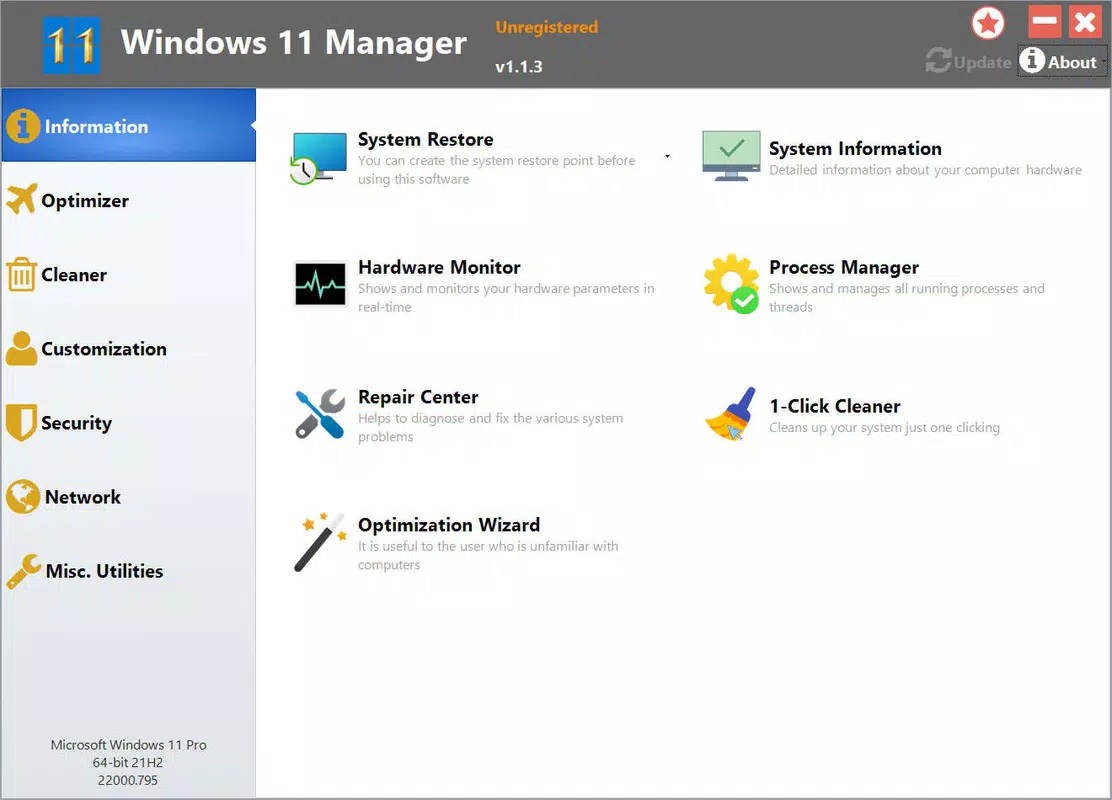
- System Monitoring Tools: Includes System Information and Hardware Monitor, enabling users to track CPU, RAM, disk, and temperature usage in real time. This helps identify performance bottlenecks and prevent overheating during intensive tasks.
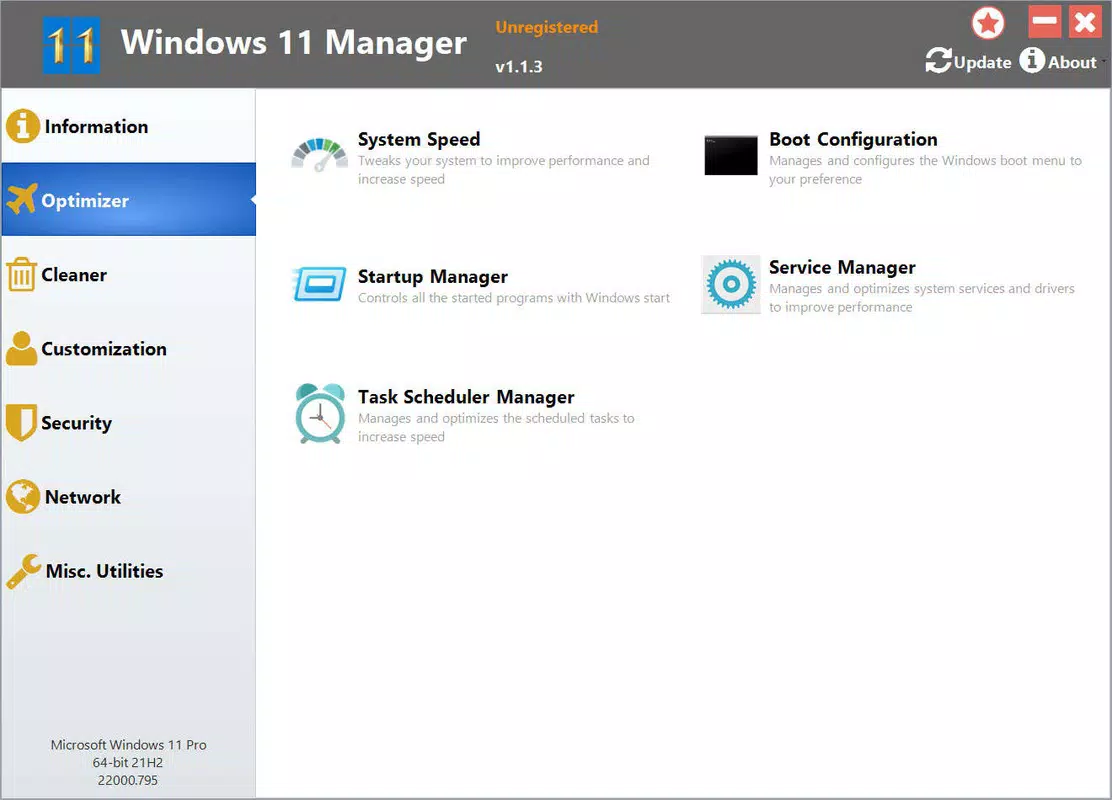
- Performance Optimization: The Optimizer tab allows users to analyze startup programs, disable unnecessary services, and schedule maintenance tasks. This contributes to faster boot times and smoother multitasking.
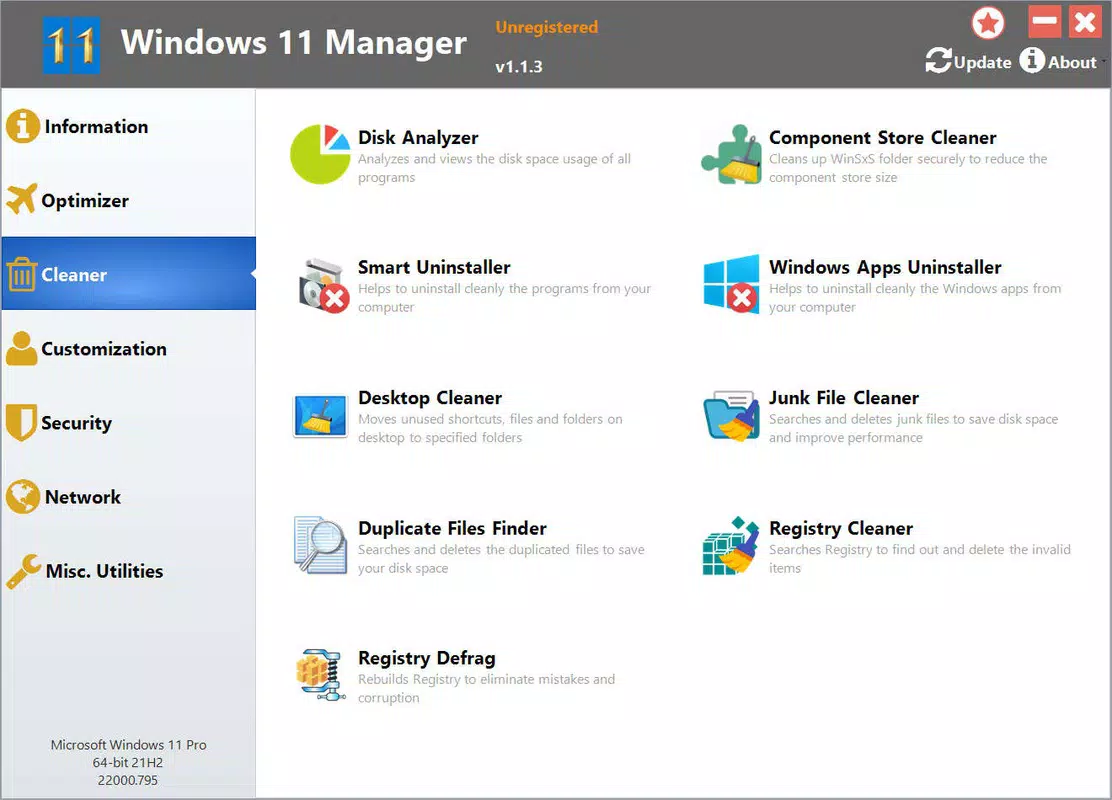
- Clean-Up Utilities: Features for uninstalling bundled Microsoft apps, detecting and removing duplicate files, and performing registry cleanups. These functions help free up disk space and improve system responsiveness.
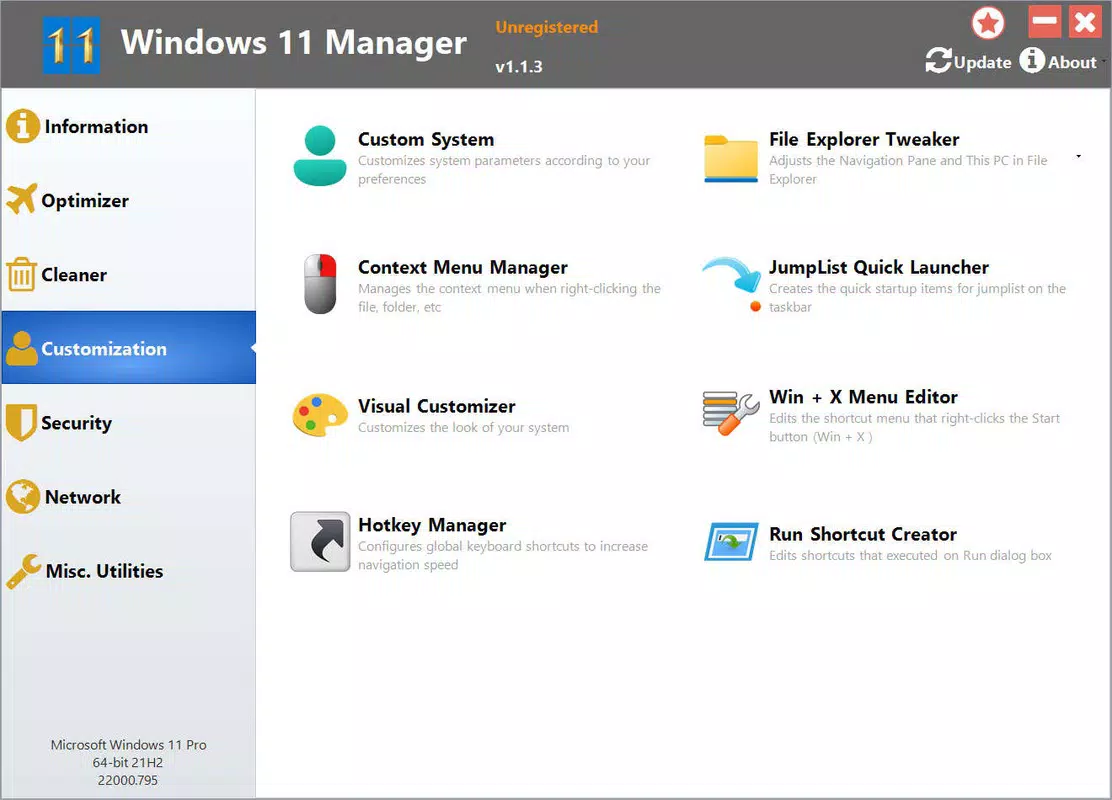
- Customization Options: Users can modify context menu behavior and enhance File Explorer with additional functions. This enables a more efficient workflow tailored to individual preferences.
- Network Management: Offers tools to monitor WiFi connections and quickly change IP settings. This is beneficial for users managing multiple networks or troubleshooting connectivity issues.
For example, a user experiencing slow boot times can use the startup manager to disable non-essential programs. A power user might leverage the registry cleaner to resolve software conflicts. These tools collectively support a more reliable and personalized computing environment.
Interface, UX & Performance
The user interface of Windows 11 Manager is designed with clarity and functionality in mind. The layout organizes features into intuitive tabs—such as System Monitoring, Optimizer, Clean-Up, Customization, and Network—allowing users to navigate between tools with minimal effort. Visual elements are clean and minimal, avoiding visual clutter while maintaining accessibility for users of varying technical skill levels.
Navigational flow is straightforward: each tab presents a set of actionable options with clear labels and descriptive tooltips. The app responds promptly to user inputs, indicating a stable and responsive design. Although the developer did not list formal performance metrics, the lightweight file size of 10.2 MB suggests efficient resource usage, which likely contributes to smooth operation across a range of hardware configurations.
Performance on different device categories is not explicitly detailed. However, given its small footprint and focus on system-level tasks, it is expected to run efficiently on both older and modern Windows 11 machines. Stability appears to be a priority, as the app includes features like System Restore that safeguard against unintended changes. The lack of reported crashes or errors in the release notes indicates a reliable execution environment.
Platform Compatibility & Technical Requirements
Windows 11 Manager is designed for the Windows platform and is compatible with Windows 11 operating systems. The app has been released in version 1.0.0, with a file size of 10.2 MB. This indicates a lightweight application that does not require significant storage space.
The developer did not specify minimum OS requirements or compatibility with older Windows versions. As such, it is assumed that the app is intended for use on current Windows 11 systems. No additional hardware specifications or dependencies were provided. Users should ensure their system meets the standard requirements for running Windows 11 to use the app effectively.
Pros and Cons
Pros
- Free to download and use, making it accessible to a wide audience.
- Lightweight design with a small file size of 10.2 MB.
- Offers a centralized dashboard for multiple system management tasks.
- Includes tools for performance monitoring, cleanup, and customization.
- Designed specifically for Windows 11, ensuring compatibility with current OS features.
Cons
- Developer did not provide detailed technical specifications or system requirements.
- Specific compatibility with older Windows versions was not disclosed.
- No information on update frequency or long-term support plans.
- Limited visibility into advanced features due to lack of documentation.
- Not available on mobile platforms such as Android or iOS.
FAQ
Is Windows 11 Manager safe to install?
Yes, the app is designed as a system utility and does not contain malware. It operates within standard Windows permissions and includes safeguards like System Restore to prevent irreversible changes.
Can I use Windows 11 Manager on older versions of Windows?
The developer did not specify compatibility with Windows 10 or earlier. It is recommended for use on Windows 11 systems only.
Does Windows 11 Manager require an internet connection?
Basic functionality does not require an internet connection. However, some features may need online access for updates or additional data.
How often should I run the cleanup tools?
Users can run the clean-up utilities as needed, such as monthly or after installing new software. Regular maintenance helps keep the system optimized.
Is the app available for Android or iOS?
No, Windows 11 Manager is currently only available for the Windows platform. It is not compatible with mobile operating systems.
Final Thoughts
Windows 11 Manager stands out as a focused, efficient utility for users seeking to improve their Windows 11 experience. With its blend of system monitoring, performance optimization, cleanup tools, and customization options, it delivers tangible benefits for both novice and experienced users. The app’s free pricing model enhances its accessibility, while its lightweight design ensures minimal impact on system resources.
Those who frequently manage software installations, troubleshoot performance issues, or desire a personalized computing environment will find the most value in this tool. It fills a practical gap in the Windows ecosystem by providing a consolidated solution for routine maintenance tasks.
Download Windows 11 Manager now


